> For the complete documentation index, see [llms.txt](https://niftsy-protocol-niftsy-1.gitbook.io/niftsy/llms.txt). Markdown versions of documentation pages are available by appending `.md` to page URLs; this page is available as [Markdown](https://niftsy-protocol-niftsy-1.gitbook.io/niftsy/tutorials/dapps/minting/version-0/instruction.md).
# Instruction
Step by step guide
dApp for mint can be found at
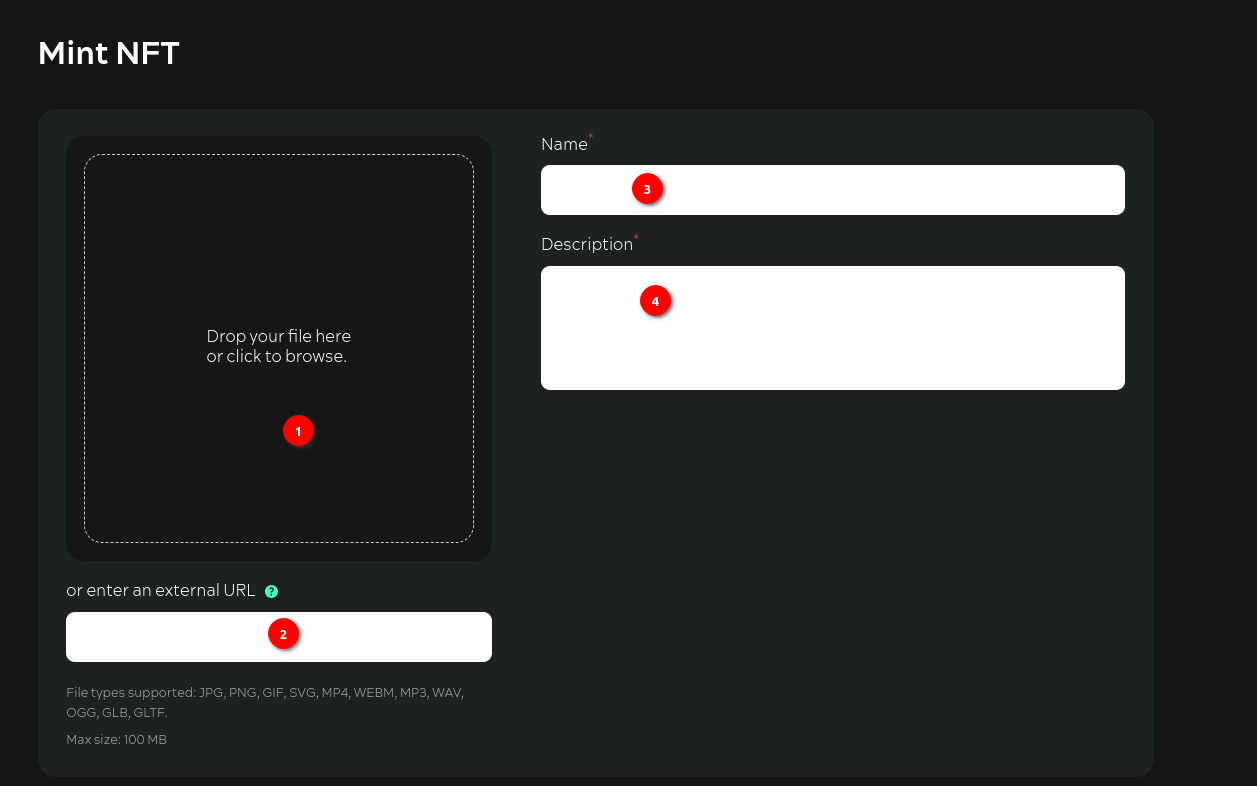
**Step №01.** Download the media-file either by dragging and dropping it into the download area or via an explorer window
**Step №02.** Or provide an http link to the media-file. Important: The web storage of the media file should allow the media file to be displayed in third-party applications
**Step №03.** Enter Name
**Step №04.** Enter Description
**Step №05.** You can enter additional properties to be stored in the metadata
**Step №06.** Enter the name of the property
**Step №07.** Enter the meaning of the property
**Step №08.** Choose which standard you want the NFT to be minted to
**Step №09.** Specify the number of tokens to be minted per transaction
**Step №10.** If you have chosen to mint ERC-1155 tokens, enter the number of copies for each token to be minted
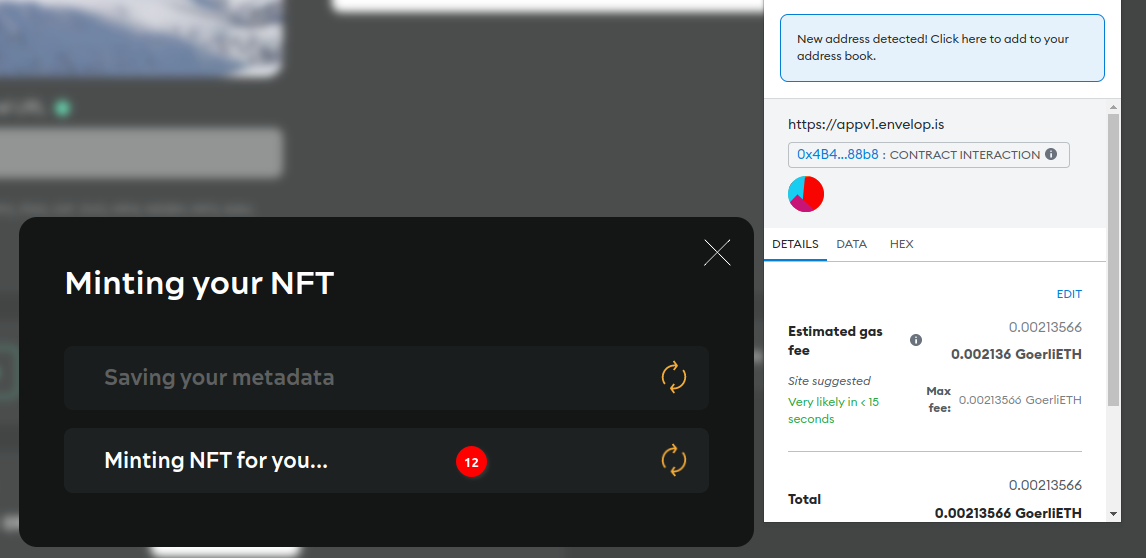
**Step №11.** Press Mint. First the metadata is saved in SWARM
**Step №12.** Then confirm the transaction in MetaMask
**Step №13.** After confirming the transaction, a message will be displayed allowing you to go to the main application () and view the NFTs created under “Discovered”